Optibase for SaaS

A/B testing built for SaaS teams that ship fast

Your marketing team has ideas. Your dev team has a backlog. Optibase lets you run experiments on your SaaS site — test headlines, CTAs, pricing pages, and layouts — without code or developer tickets.
No developers needed: Test without engineering tickets.
Zero flicker: Visitors see the right variant instantly.
Start free: Plans from $69/mo. Not $50K/year.
Header image
Join 3000+ companies already testing with Optibase
The SaaS growth bottleneck

Why your site converts below its potential

Testing needs a dev ticket

Every experiment requires engineering time. Your marketing team has ideas but no way to test them without filing tickets and waiting weeks.

You see clicks, not behavior

Analytics show what happened, not why. Without heatmaps and session data, you're guessing which changes will actually move signups.

CRO tools cost a fortune

Enterprise tools start at $50K/year, mid-tier options run $300/month per site. Most teams skip testing because the tools don't fit the budget.
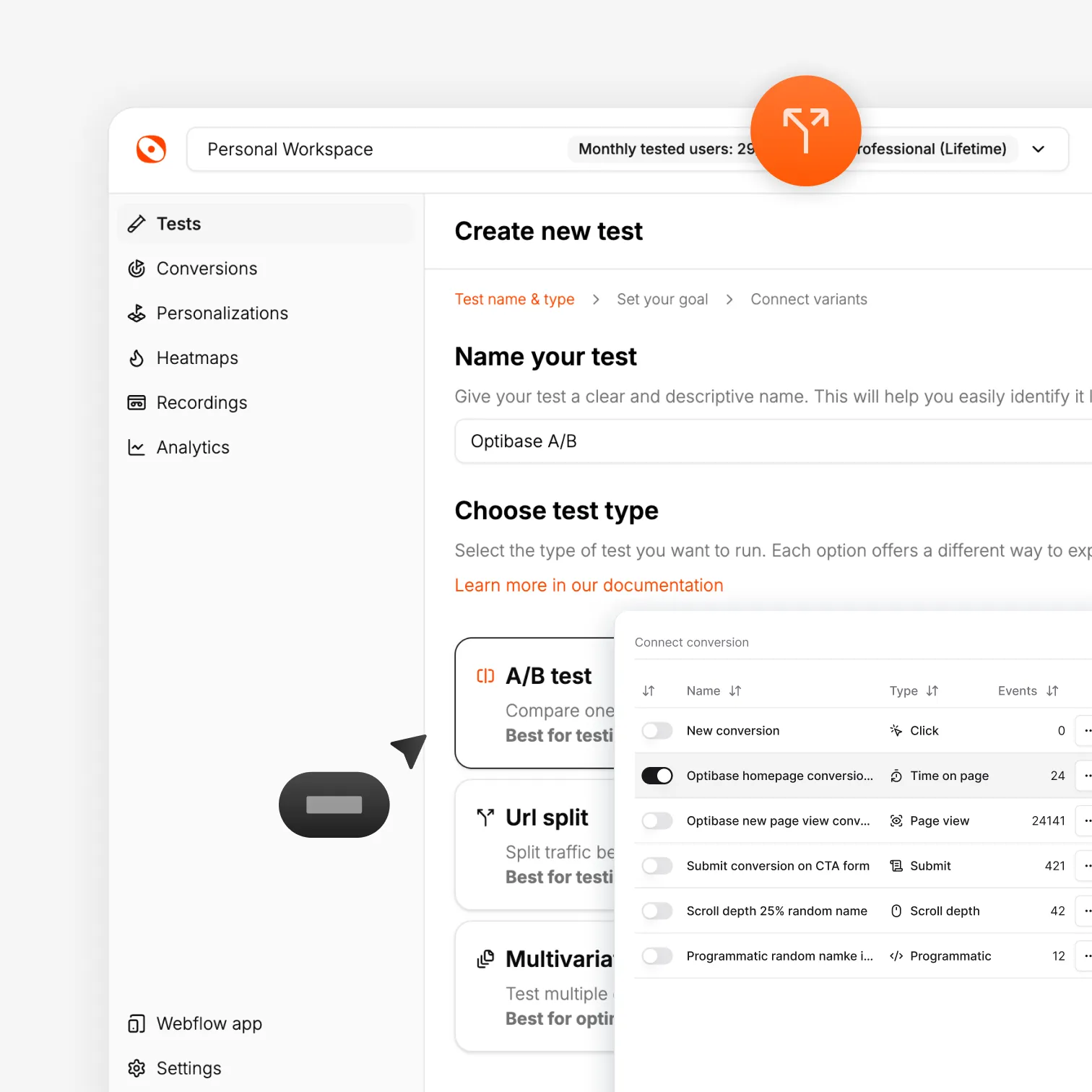
Optibase A/B test creation interface for easy test setup
Website experimentation

Test anything on your SaaS website

Headlines, CTAs, pricing pages, hero sections, and signup flows. Build a variant visually, set a goal, and launch. Run A/B tests, split URL tests, or multivariate tests to find what actually converts — on Webflow, WordPress, or any page builder.

A/B testing for quick wins

Change a headline, button, or section and split traffic. See which version drives more signups and demo requests.

Split URL testing

Test completely different pages against each other. Compare pricing pages, landing pages, or signup flows side by side.

Multivariate testing

Test multiple changes at once. Find the winning combination of headline, CTA, and layout faster.
Analytics & insights

See what converts and understand why

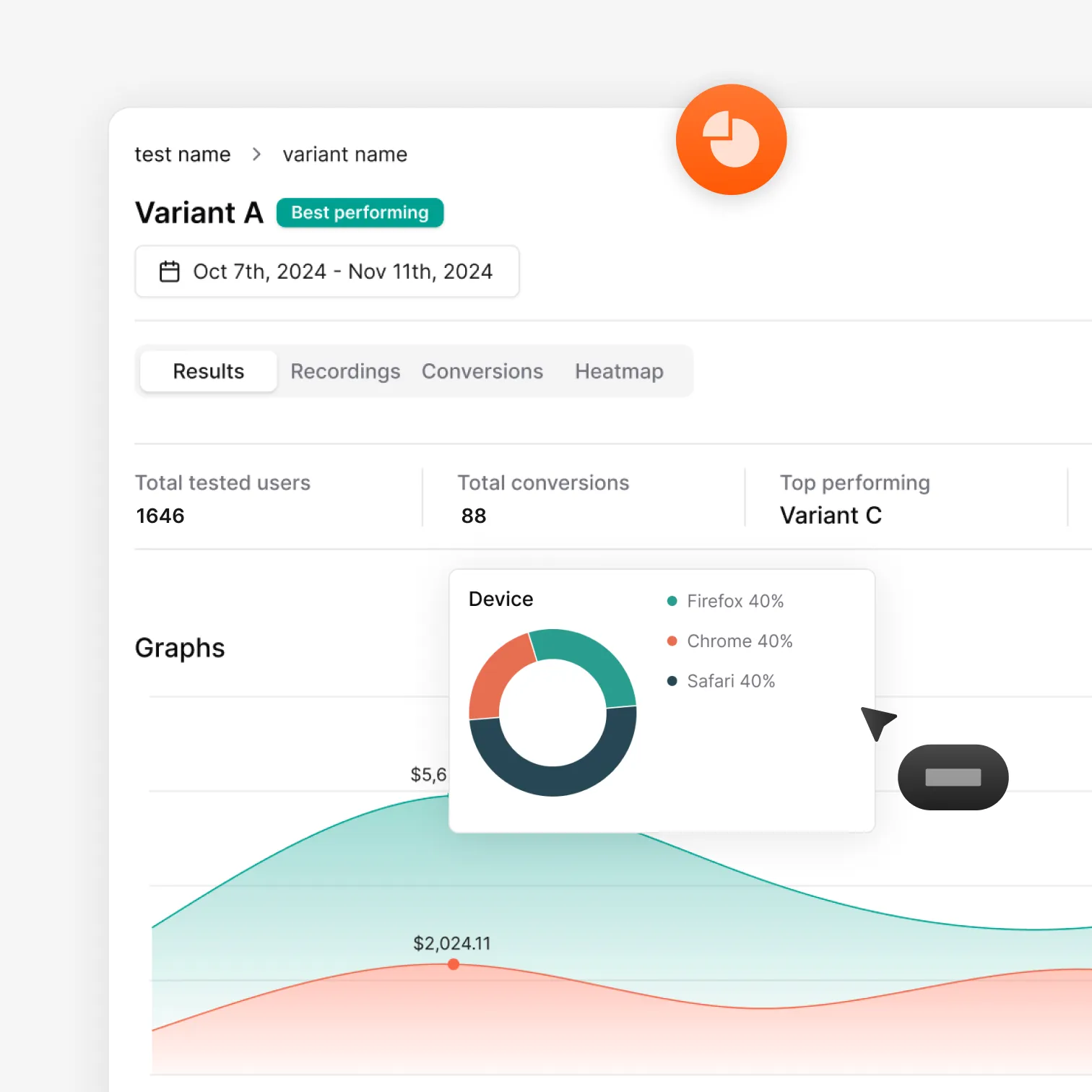
Numbers tell you what happened. Behavior shows you why. Optibase gives SaaS teams both — Bayesian analytics for statistical confidence, plus heatmaps and session recordings to understand how visitors interact with your test variants.

Analytics built for experiments

Know which variant is winning and how confident you can be. Clear, defensible results your team can act on.

Click and scroll heatmaps

See where visitors click, how far they scroll, and what they skip on each test variant.

Session recordings

Watch real visitors navigate your test variants. Spot friction and drop-offs that analytics alone would miss.
Optibase A/B test results dashboard with conversion data and charts
How it works

Run your first test in minutes

Optibase works with Webflow, WordPress, and other page builders — the platforms your team already uses. Install once, build a variant visually, set a conversion goal, and launch. No developers, no complex setup.

Install Optibase

Add Optibase to your site in one click — via the Webflow App Marketplace or the WordPress plugin. The script installs automatically with no project settings to configure and no code to paste. Your site connects instantly and you only need to do this once. Takes less than a minute.

Build your variant

Create the changes you want to test using Optibase's visual editor. A different headline, a new CTA, a redesigned pricing section — build the variant visually and publish when you're ready. No separate tools, no code, no learning curve.

Set a conversion goal

Choose what counts as a win for your SaaS site: a button click, a demo form submission, a signup page visit, or a custom event. Optibase tracks conversions automatically so you know exactly when one variant outperforms the other. Pick the metric that matters most to your team.

Launch your experiment

Turn the test on and Optibase starts splitting traffic between your original and variant. Results update in real time with Bayesian statistics so you always know which version is winning. AI traffic allocation automatically sends more visitors to the better-performing variant.

Ship what wins and test again

When Optibase shows a clear winner with statistical confidence, ship it and start your next experiment. The SaaS teams that grow fastest are the ones that test continuously. Each experiment compounds on the last — better headlines, better CTAs, better conversions, more revenue.
Built for growth

More than just testing

AI traffic split

AI helps send more visitors to the version that works better, so your test reaches a clear winner faster without extra work.

Auto-stop tests

Set rules and let Optibase stop the test for you. When a version wins or a goal is reached, the test ends and you get clear results.

Audience segmentation

By segmenting your audience based on their geolocation, browser, OS and screen size, you can limit who is exposed to your tests.

Personalization

Show different content based on who visits your site. Tailor pages by audience, behavior, or context to improve relevance and conversions.

Heatmaps

See where users click, scroll, and focus. Heatmaps help you understand behavior so you know what to test and what to improve next.

User recordings

Watch real sessions to see how people use your site. Spot friction, confusion, and missed clicks that numbers alone can’t show.
FAQ

Frequently asked questions

What is the best A/B testing tool for SaaS companies?
User recordings are session replays that show how real visitors use your website. They capture actions like clicks, scrolling, navigation, and pauses as users move through pages. User recordings help you see where people struggle, get confused, or drop off, so you can improve the experience based on real behavior.
How does Optibase compare to Webflow Optimize for SaaS?
Optibase has full feature parity with Webflow Optimize — A/B testing, split URL testing, multivariate testing, and personalization. Optibase also includes heatmaps and session recordings, works on WordPress too, and starts at $0 instead of $299 per month.
Is Optibase a good Google Optimize alternative for SaaS?
Yes. Google Optimize was sunset in September 2023 and many SaaS teams lost their testing capabilities. Optibase gives you everything Google Optimize offered — plus heatmaps, session recordings, and native support for Webflow, WordPress, and page builders. Start free with no credit card.
Do I need a developer to run A/B tests on my SaaS site?
No. Optibase is a no-code A/B testing tool. Your marketing team creates variants visually, sets conversion goals, and launches experiments without writing code or filing engineering tickets. It works with Webflow, WordPress, and other platforms. Most teams run their first test within an hour.
Can I A/B test my SaaS pricing page?
Yes. Pricing pages are one of the highest-impact tests for SaaS. You can test tier names, feature emphasis, price anchoring, CTA copy, billing toggle defaults, and social proof placement. Build your variant visually in Optibase and it handles the rest.
Does A/B testing slow down my SaaS website?
No. Optibase uses a lightweight, flicker-free script that does not affect page load speed or Core Web Vitals. Variants load on the first render so visitors never see a flash of the original content. Your site stays fast and your SEO stays protected.