Optibase for Agencies

A/B testing that scales across every client site

Your clients hired you to improve their conversions, not manage tool licenses. Optibase gives your team one platform to run experiments across every client site — with pricing that doesn't kill margins.
One account, every client: No per-site fees or separate setups.
Full CRO toolkit: A/B tests, heatmaps, and recordings included.
Client-ready results: Share reports that prove your value.
Header image
Join 3000+ companies already testing with Optibase
The agency CRO challenge

Why agencies struggle to scale CRO work

New client, new setup

Each new project means reconfiguring tools, adding scripts, and rebuilding tracking from scratch. Scaling CRO becomes scaling busywork.

Too many tools, no time

Separate subscriptions for A/B testing, heatmaps, and recordings means multiple dashboards and fractured workflows across clients.

Hard to prove CRO value

Clients want to see impact, not dashboards. Without shareable results, it's hard to justify retainers and renewals.
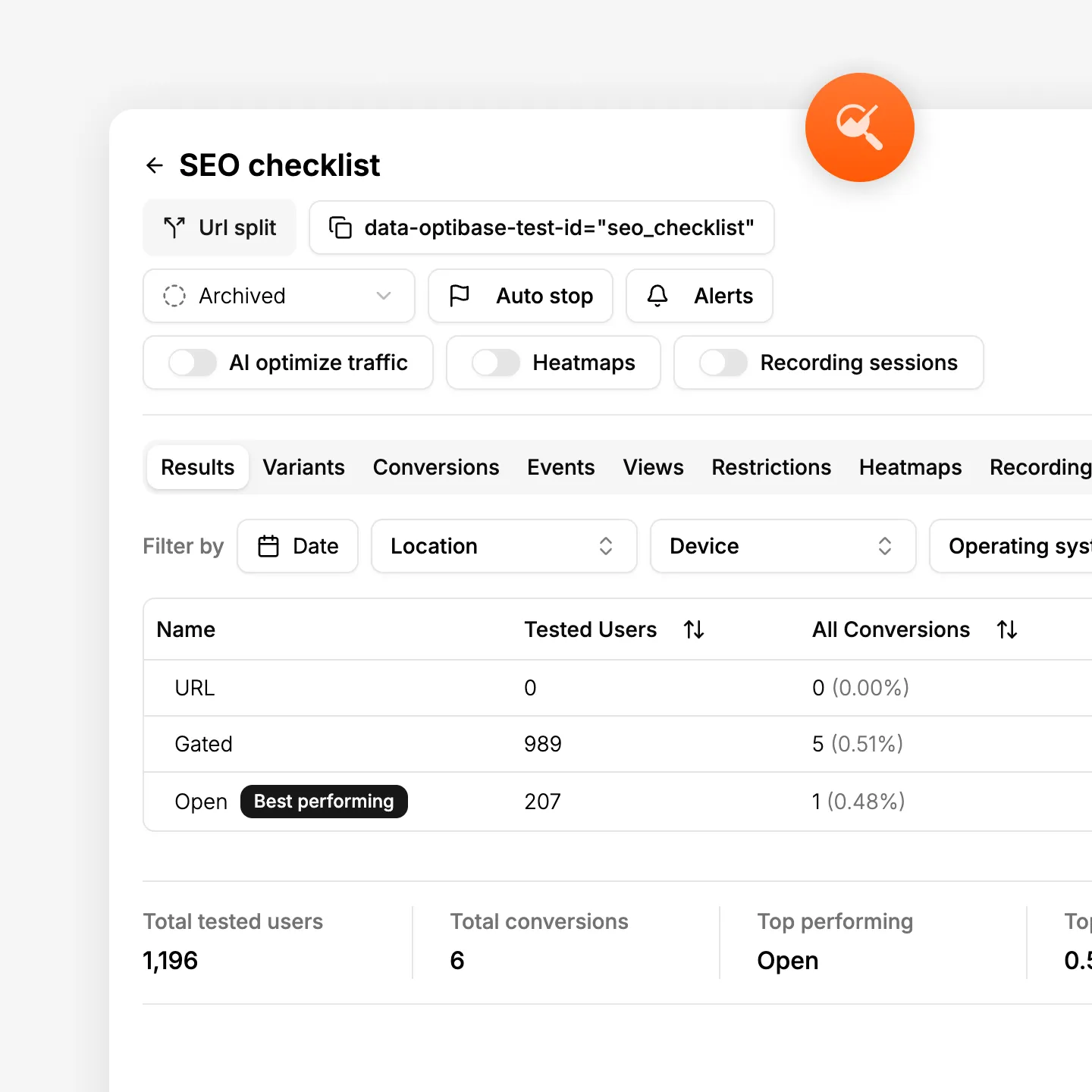
Optibase A/B testing dashboard showing variant comparison and test results
Client delivery

Run experiments across every client site

Whether you manage five client sites or fifty, Optibase gives your team one place to set up, run, and track experiments. Every client gets A/B tests, split URL tests, multivariate tests, and personalization.

Works on any website

Install Optibase on any client site — Webflow, WordPress, or other page builders. Each one connects in seconds with no scripts to manage.

Shareable test results

Send clients a clean view of test performance. They see what you tested, which variant won, and the impact.

Full testing toolkit

A/B tests for quick changes. Split URL tests for full redesigns. Multivariate tests for complex experiments.
Complete CRO toolkit

Heatmaps, recordings, and testing in one

Most agencies piece together separate tools for testing, heatmaps, and session recordings. That means separate costs and constant context switching. Optibase bundles everything your team needs for CRO into one platform — at a price that works for agencies.

Heatmaps

See where each client's visitors click, scroll, and focus. Use insights to form better test hypotheses and show clients where their site falls short.

Session recordings

Watch real visitor sessions on client sites. Spot UX issues and build a case for the changes you recommend.

Conversion tracking

Watch real Track clicks, form submissions, page visits, and custom events. Choose the right goal for each test and client.
How it works

Add CRO to client deliverables fast

Optibase works with Webflow, WordPress, and other platforms your team already builds with. Install on a client site, create a variant, set goals, and launch. No new tools to learn, no training required.

Install on your client's site

Add Optibase to your client's site — via the Webflow App Marketplace, WordPress plugin, or a simple script tag. The tracking code installs automatically with no settings to configure. Each site connects in seconds and you manage all of them from one Optibase account. Takes under a minute per client.

Build a test variant

Create the test variant visually using Optibase's editor — the same way your team already designs client pages. Change a headline, swap a CTA, redesign a section. No separate tools, no code, no training. If your team can design it, they can test it.

Set a conversion goal

Choose what counts as a win for your client: a button click, a form submission, a demo request, or a custom event. Optibase tracks it automatically. Pick the metric that maps to your client's business goal so results are tied to outcomes, not vanity metrics.

Launch and monitor results

Start the test and Optibase splits traffic between the original and variant. Results update in real time with Bayesian statistics. AI traffic allocation routes more visitors to the better-performing version automatically so your client gets the most value from every test.

Share results and prove value

When the test reaches statistical confidence, share the results with your client. Show exactly what you tested, which variant won, and the impact on conversions. Clear, visual results make it easy to demonstrate ROI — and keep retainers strong for the next round of experiments.
Built for growth

More than just testing

AI traffic split

AI helps send more visitors to the version that works better, so your test reaches a clear winner faster without extra work.

Auto-stop tests

Set rules and let Optibase stop the test for you. When a version wins or a goal is reached, the test ends and you get clear results.

Audience segmentation

By segmenting your audience based on their geolocation, browser, OS and screen size, you can limit who is exposed to your tests.

Personalization

Show different content based on who visits your site. Tailor pages by audience, behavior, or context to improve relevance and conversions.

Heatmaps

See where users click, scroll, and focus. Heatmaps help you understand behavior so you know what to test and what to improve next.

User recordings

Watch real sessions to see how people use your site. Spot friction, confusion, and missed clicks that numbers alone can’t show.
FAQ

Frequently asked questions

How does Optibase pricing work for agencies with multiple clients?
Optibase pricing is based on total tested users across your account, not per site. You can connect multiple client sites without paying a separate fee for each one. This makes it far more cost-effective than tools like Webflow Optimize that charge $299 per month per site.
Can I use Optibase for clients on Webflow and WordPress?
Yes. Optibase works on Webflow, WordPress, and other page builders. If your agency manages clients across different platforms, you can run experiments and track results from one account. No need for separate tools or workflows per platform.
Do I need to train my team to use Optibase?
Yes. Google Optimize was sunset in September 2023 and many SaaS teams lost their testing capabilities. Optibase gives you everything Google Optimize offered — plus heatmaps, session recordings, and native support for Webflow, WordPress, and page builders. Start free with no credit card.
Can my clients see A/B test results without full account access?
Yes. Optibase includes a share feature that lets you send clients a clean view of test results. They see what was tested, which variant won, and the impact on conversions — without accessing your full dashboard or seeing other client data.
How does Optibase compare to Webflow Optimize for agencies?
Webflow Optimize costs $299 per month per site, which scales fast when you manage multiple clients. Optibase offers the same testing capabilities plus heatmaps and session recordings. Pricing is based on total traffic, not number of sites — so adding new clients costs nothing extra.
Is there an Optibase agency or partner program?
Yes. Optibase works with agencies building on Webflow, WordPress, and other platforms. The partner program includes priority support, co-marketing opportunities, and a dedicated onboarding path. Reach out to discuss how your agency can get started as a CRO delivery partner.