
Running a WordPress site without A/B testing is like redesigning your store with a blindfold on. You might get lucky, but you're probably leaving conversions on the table.
Since Google Optimize shut down in September 2023, WordPress site owners have been searching for reliable alternatives. According to W3Techs, WordPress powers 43% of all websites — yet most WordPress sites still don't run any form of A/B testing. The good news: the market has matured. Today's WordPress A/B testing tools are faster, easier to use, and more affordable than what came before.
We tested and compared 9 WordPress A/B testing plugins and split testing tools — evaluating each on ease of setup, testing capabilities, pricing, and performance impact. Here's what we found.

Every tool on this list was assessed against five criteria:
We also factored in WordPress-specific considerations: plugin compatibility, theme builder support, update frequency, and whether the tool works with popular page builders like Elementor, Divi, and Beaver Builder.
Best for: WordPress purists who want a native plugin experience
Nelio is one of the few A/B testing tools built entirely inside WordPress. There's no external dashboard, no separate login — everything runs from your wp-admin panel.
What it does well:
Where it falls short:
Pricing: Free version available with limited features. Paid plans start at $24/month (Basic) up to $121/month (Enterprise). Annual billing saves roughly 20%.
Best use case: You want everything inside WordPress, don't need advanced targeting, and prefer a plugin-native workflow over external dashboards.

Best for: Users already invested in the Thrive Suite ecosystem
Thrive Optimize is an add-on for Thrive Architect (their page builder). If you're already building landing pages with Thrive, adding A/B testing is a natural next step.
What it does well:
Where it falls short:
Pricing: Available through the Thrive Suite at $299/year (all Thrive plugins included). Not sold as a standalone product.
Best use case: You already use Thrive Architect for landing pages and want to test variations without adding another tool to your stack.
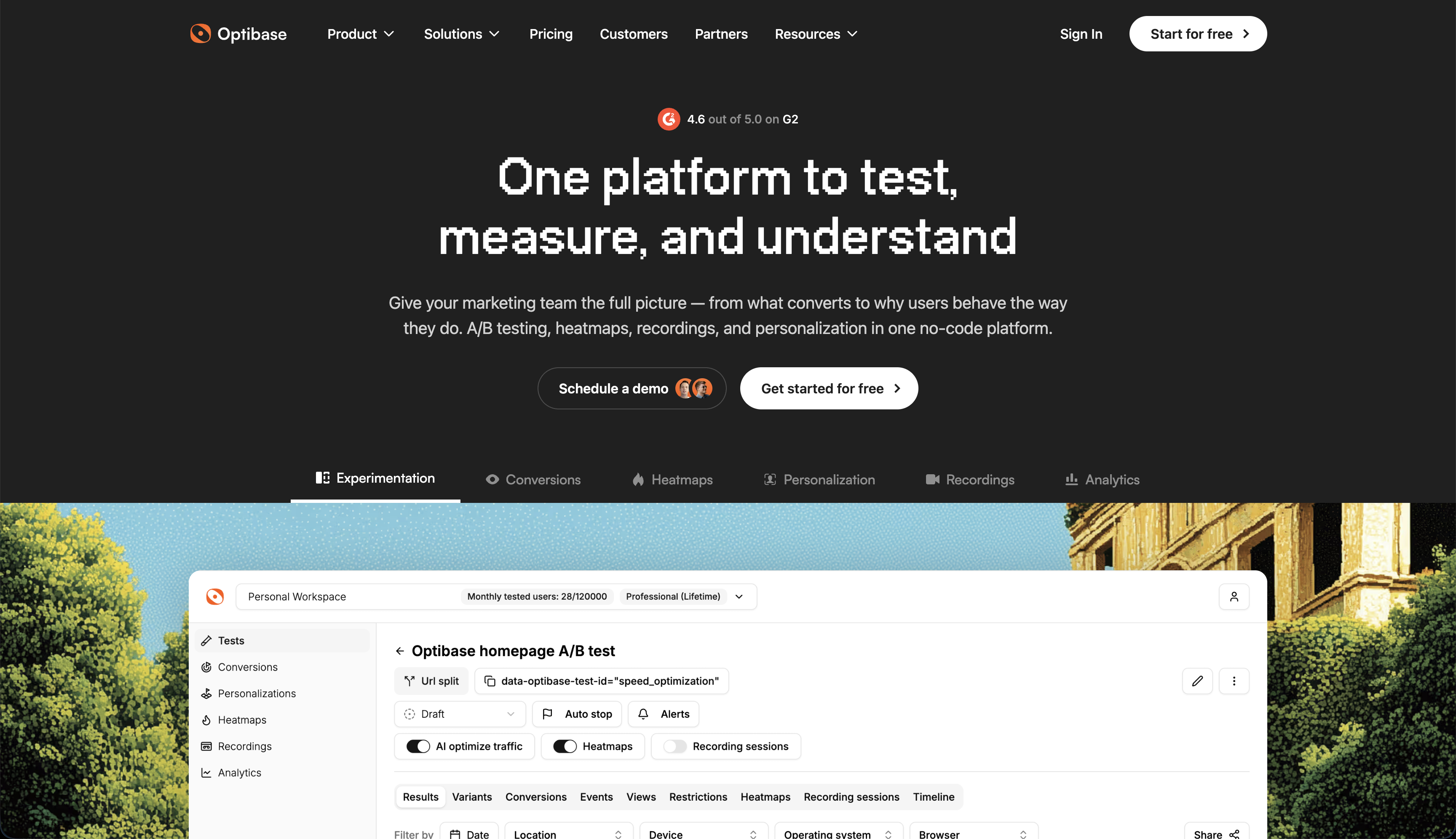
Best for: Teams running WordPress (and other platforms) who want a modern testing stack without enterprise pricing
Optibase started as a Webflow A/B testing tool and expanded to WordPress with a dedicated plugin. The result is a testing platform that works across multiple site builders — useful if your marketing team manages sites on different platforms.
What it does well:
Where it falls short:
Pricing: Free (5K visitors/mo), Basic at $69/month, Business at $139/month, Professional at $289/month. All paid plans include heatmaps and session recordings.
Best use case: You want a full CRO toolkit (testing + heatmaps + recordings) at a price point below what enterprise tools charge, especially if you manage sites on multiple platforms.
Best for: Growing teams ready for a mid-market testing platform
VWO is one of the most established names in A/B testing. Their WordPress integration uses a lightweight snippet rather than a plugin, which keeps your plugin count down.
What it does well:
Where it falls short:
Pricing: Web Testing starts at $357/month billed annually. Heatmaps, session recordings, and surveys are separate products with their own pricing.
Best use case: You have a dedicated CRO or growth team, significant traffic volume, and need enterprise-grade testing with advanced targeting.
Best for: Quick headline and copy tests without complexity
Split Hero keeps things simple. It's a WordPress plugin focused on testing headlines, button text, and images — the elements that typically have the biggest impact on conversion rates.
What it does well:
Where it falls short:
Pricing: Plans start at $49/month. No free tier available.
Best use case: You want to test headlines, CTAs, and images quickly without learning a complex platform.
Best for: Enterprise teams with dedicated experimentation programs
Optimizely is the industry standard for large-scale experimentation. Their Web Experimentation product works on any website, including WordPress, through a JavaScript snippet.
What it does well:
Where it falls short:
Pricing: Custom pricing only. Contact sales for a quote. Expect enterprise-level investment.
Best use case: You're an enterprise running 20+ experiments simultaneously and need a platform that scales with a dedicated experimentation team.
Best for: Testing popups, opt-in forms, and lead generation elements
OptinMonster isn't a traditional A/B testing tool — it's a lead generation platform with built-in A/B testing for its own elements. If your primary goal is optimizing email signups, exit-intent popups, or floating bars, it handles testing natively.
What it does well:
Where it falls short:
Pricing: Basic at $18/month, Plus at $48/month, Pro at $73/month, Growth at $123/month (all billed annually).
Best use case: Your optimization focus is lead capture — popups, forms, and email opt-ins — and you want testing built into that workflow.
Best for: WooCommerce store owners testing pricing and product pages
ABConvert focuses specifically on e-commerce testing for WooCommerce. If you're testing product prices, shipping thresholds, or product page layouts, it's purpose-built for that use case.
What it does well:
Where it falls short:
Pricing: Free plan available. Paid plans from $9.99/month to $199.99/month depending on order volume.
Best use case: You run a WooCommerce store and want to test pricing strategies, product page variations, or checkout optimizations.
Best for: Teams on a zero budget who are comfortable with analytics
Google Optimize is gone, but you can still run basic A/B tests using GA4's measurement capabilities combined with manual traffic splitting. It's not elegant, but it works — and it's free.
How it works:
/landing-v1 and /landing-v2)What it does well:
Where it falls short:
Pricing: Free (GA4 is free to use).
Best use case: You have development resources, low traffic volume, and a tight budget. Good for learning A/B testing fundamentals before investing in a dedicated tool.
The "best" tool depends on your situation. Here's a decision framework:
Start with your budget:
Then match your use case:
Consider your traffic volume. Most A/B testing tools require at least 1,000 visitors per variant to reach statistical significance. If your tested pages get under 5,000 monthly visitors, you'll need patient tests (2–4 weeks) or should focus on high-traffic pages first.
According to a VWO study, the average A/B test needs to run for at least 2 weeks to produce reliable results, regardless of traffic volume. Stopping tests early because a variant "looks like it's winning" is the most common mistake in WordPress A/B testing.
"The biggest ROI in CRO comes from testing what you think you already know," says Peep Laja, founder of CXL and Wynter. "Most teams skip A/B testing because they trust their gut — but data consistently shows that expert predictions about what will convert are wrong 60-80% of the time."
Research from Invesp found that companies running A/B tests see an average conversion rate improvement of 49% over non-testing competitors. Even simple tests — like button color, headline copy, or CTA placement — can produce measurable lifts when run with proper methodology.
Nelio A/B Testing offers a free WordPress plugin with basic testing capabilities. Optibase also has a free plan that includes 5,000 monthly tested visitors, a visual editor, and heatmaps. For WooCommerce-specific testing, ABConvert has a free tier. The GA4 manual method is also free but requires technical setup.
Most WordPress A/B testing tools follow the same process: install the plugin or add a tracking snippet, select the page you want to test, create a variant using the visual editor, set your conversion goal (clicks, form submissions, purchases), and launch the test. Tools like Nelio and Optibase can be set up in under 10 minutes without any code.
Yes. ABConvert is specifically designed for WooCommerce A/B testing, including product pricing experiments. General tools like Optibase and VWO can also test WooCommerce product page layouts, though they don't support direct price testing the way ABConvert does.
A general rule: you need at least 1,000 visitors per variant to get meaningful results. For a standard A/B test (two variants), that means the tested page should get at least 2,000 visitors during the test period. Most tests need 2–4 weeks to reach statistical significance. If your pages get under 1,000 monthly visitors, focus on testing your highest-traffic pages first.
Google Optimize was discontinued on September 30, 2023. Google has not released a direct replacement. The tools in this article — particularly Nelio, Optibase, and VWO — are the most commonly recommended alternatives for WordPress users. Each offers a visual editor and WordPress compatibility that Google Optimize provided.
Every day without A/B testing is a day you might be running a suboptimal version of your site. The tools above range from free to enterprise, so budget isn't a barrier.
Pick the tool that matches your use case, run your first test on a high-traffic page, and let data — not opinions — drive your next design decision.
If you want a free starting point with visual editing, heatmaps, and no credit card required, Optibase's free plan gets you running your first WordPress A/B test in under 10 minutes.

